
Production JavaScript is minified, so a browser’s stack trace points at index-4f2a.js:1:20413.
Source maps turn its frames back into your files, functions and lines, with the code around
them. EZGH symbolicates each error as it arrives, with the maps you uploaded for its release.
Upload a release’s maps before you deploy it. Errors that arrive before their maps keep
their minified frames (ezgh.rum.symbolication is missing) and may be grouped into a separate
issue. Stored errors aren’t symbolicated again when maps arrive later.
Debug IDs
EZGH matches each frame to its map by debug ID, a UUID that a built file and its map share (the TC39 source map debug ID proposal):
- the JavaScript file gets a one-line snippet at the top that registers its debug ID, and a
//# debugId=<uuid>comment at the end; - the map gets a top-level
"debugId"; - the same build output always gets the same debug ID, and a file that already has one keeps it.
Because frames are matched by debug ID, CDNs, hashed file names and query strings don’t matter.
Maps without a debug ID are refused. The build plugin and ezgh obs sourcemaps inject add debug
IDs the same way, byte for byte, so running both is harmless.
Upload the minified JavaScript with each map (the plugin and the CLI do): with it, frames show your functions’ original names.
With the build plugin
@ezghcloud/rum-build adds debug IDs to every JavaScript file the bundler writes, then uploads the
files and their maps. Turn source maps on in the bundler: hidden maps (without a
sourceMappingURL comment) are fine.
npm i -D @ezghcloud/rum-buildyarn add -D @ezghcloud/rum-buildpnpm add -D @ezghcloud/rum-buildbun add -d @ezghcloud/rum-build// vite.config.ts
import { defineConfig } from "vite";
import { ezghRumBuild } from "@ezghcloud/rum-build";
export default defineConfig({
build: { sourcemap: "hidden" },
plugins: [ezghRumBuild.vite({ application: "storefront", release: process.env.VITE_RELEASE })],
});// webpack.config.js
const { ezghRumBuild } = require("@ezghcloud/rum-build");
module.exports = {
devtool: "hidden-source-map",
plugins: [ezghRumBuild.webpack({ application: "storefront", release: process.env.RELEASE })],
};// rollup.config.mjs
import { ezghRumBuild } from "@ezghcloud/rum-build";
export default {
input: "src/main.js",
output: { dir: "dist", format: "es", sourcemap: "hidden" },
plugins: [ezghRumBuild.rollup({ application: "storefront", release: process.env.RELEASE })],
};// build.mjs
import * as esbuild from "esbuild";
import { ezghRumBuild } from "@ezghcloud/rum-build";
await esbuild.build({
entryPoints: ["src/main.ts"],
bundle: true,
minify: true,
outdir: "dist",
sourcemap: "external",
plugins: [ezghRumBuild.esbuild({ application: "storefront", release: process.env.RELEASE })],
});// rspack.config.js
const { ezghRumBuild } = require("@ezghcloud/rum-build");
module.exports = {
devtool: "hidden-source-map",
plugins: [ezghRumBuild.rspack({ application: "storefront", release: process.env.RELEASE })],
};// next.config.ts
import { withEzghRum } from "@ezghcloud/rum-nextjs/config";
export default withEzghRum({ /* your config */ }, { application: "storefront" });withEzghRum turns on client source maps, adds debug IDs to the client bundles after
next build, uploads them, and deletes the maps from the output so they’re never served. It
takes the options below; the release comes from EZGH_RUM_RELEASE unless you set release.
The release must be the one your pages pass to init. The plugin uploads when it has
credentials, the organization and project, the application and the release; without them it only
adds debug IDs, and prints what’s missing.
| Option | Default |
|---|---|
application |
EZGH_RUM_APPLICATION |
release |
EZGH_RUM_RELEASE |
organizationId, projectId |
EZGH_ORG, EZGH_PROJECT. These are IDs (UUIDs): the app’s Setup tab shows them, and so do ezgh orgs get and ezgh projects get <project> |
apiKey |
EZGH_API_KEY: an API key whose owner has ObsSourceMapUploadAccess or ObsFullAccess |
oidc |
{ bot, audience? }: in GitHub Actions, exchange the job’s OIDC token for a short-lived key of bot when there’s no API key |
upload |
true; false only adds debug IDs |
failOnError |
true: a failed upload fails the build. false prints the error instead |
deleteMapsAfterUpload |
false; true deletes the uploaded .map files from the output |
Hidden maps aren’t referenced by your JavaScript, but the .map files stay in the output: set
deleteMapsAfterUpload: true, or leave them out of your deploy, if they mustn’t be served.
With the CLI
For builds without the plugin, add debug IDs after the build and upload before deploying:
ezgh obs sourcemaps inject dist
ezgh obs sourcemaps upload dist --application storefront --release 2026.10.13-4f2a9c1injectpairs each.js,.mjsand.cjsfile (outsidenode_modules) with the map itssourceMappingURLcomment names, or<file>.map, and rewrites both in place. Running it again changes nothing, and it keeps debug IDs a bundler already wrote (such as Rollup’ssourcemapDebugIds).--dry-runwrites nothing.- Deploy the injected files: the snippet in them is what links errors to their maps.
uploadsends only what EZGH doesn’t have yet, so after a failure, run it again to resume. Uploading the same files again changes nothing.--parallelsets how many chunks go up at a time (8 by default).--releasemust be the one your pages pass toinit, and--applicationthe client token’s.
ezgh obs sourcemaps list
ezgh obs sourcemaps list --application storefront --release 2026.10.13-4f2a9c1
ezgh obs sourcemaps delete --application storefront --release 2026.10.11-91ab3e0
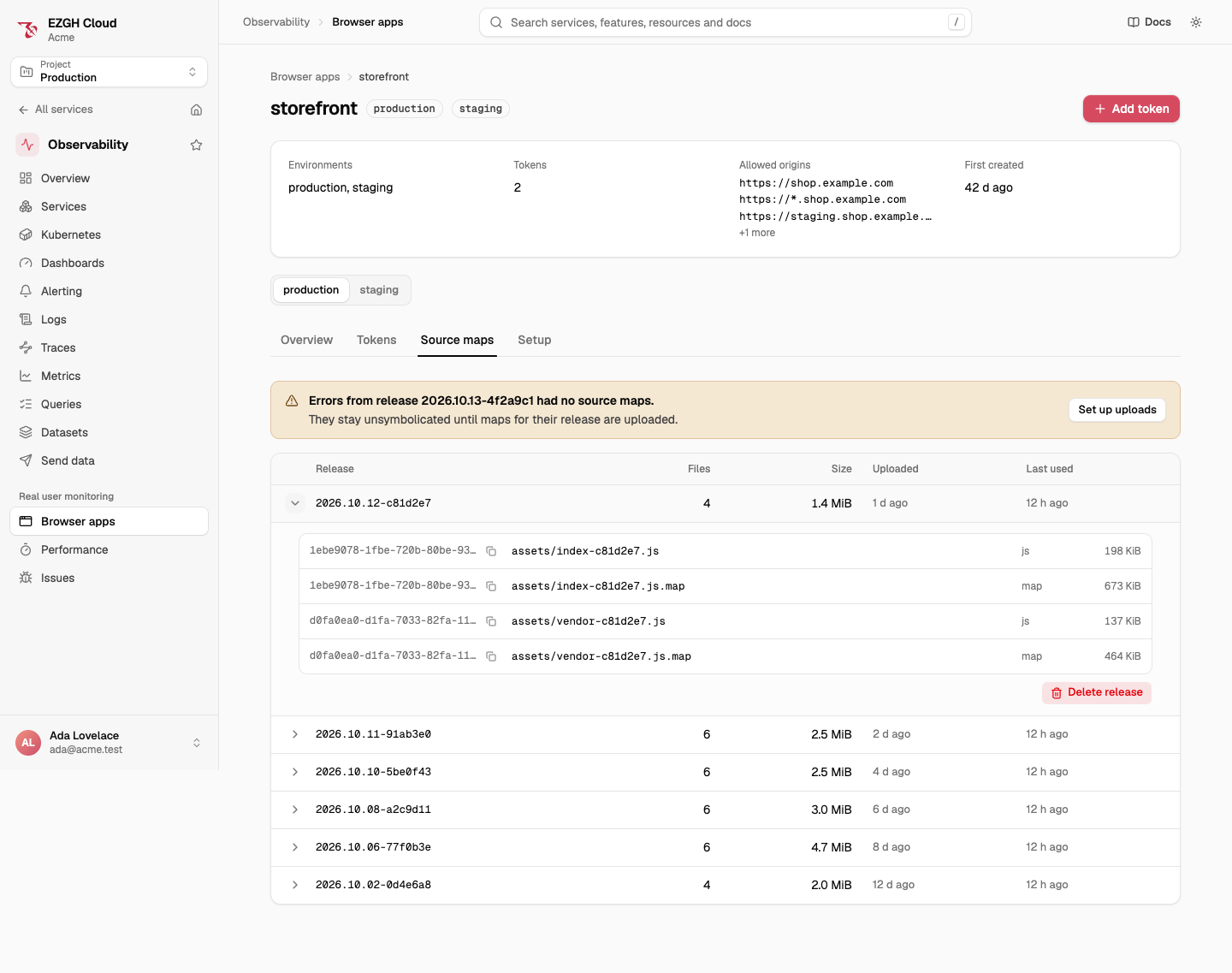
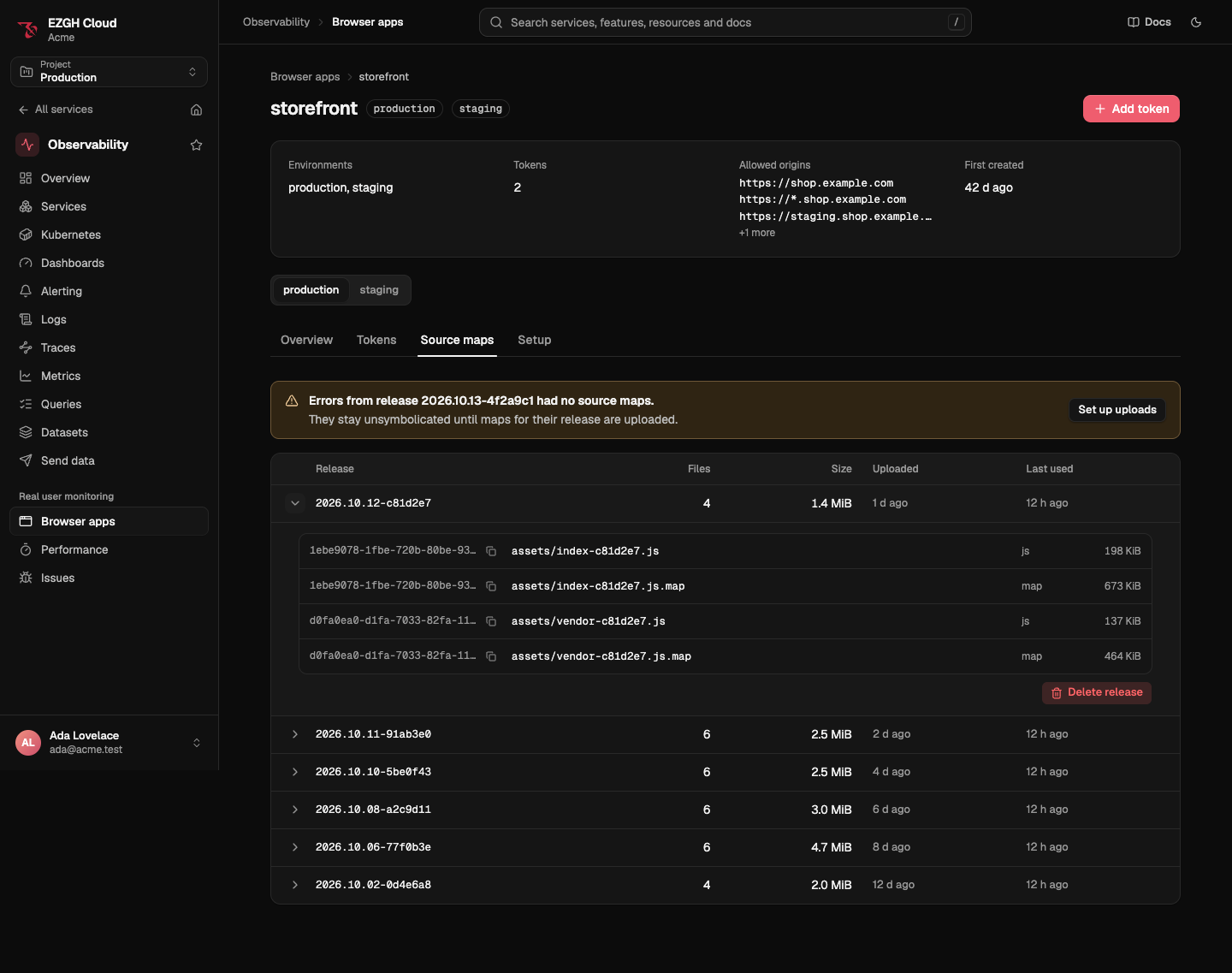
list shows releases, newest first, with their file count, size, when they were uploaded and
when an error last used them; with --release, each file’s path, kind, debug ID and size.
Deleting a release stops symbolication for its errors from then on; errors already stored keep
their stack traces. ezgh obs sourcemaps lists every flag.
In CI, with no stored secret
In GitHub Actions, a job can upload as a bot with its OIDC token, so no API key is stored in GitHub. Set it up once, signed in:
ezgh iam bots create sourcemaps
ezgh iam policies attach ObsSourceMapUploadAccess --bot sourcemaps
ezgh iam oidc-providers create github --issuer https://token.actions.githubusercontent.com
ezgh iam bots oidc-trust add sourcemaps --provider github \
  --subject 'repo:*:ref:refs/heads/main' --claim repository_id=<your repository ID>
ObsSourceMapUploadAccess can upload and list source maps and nothing else. Get the repository’s
ID with gh api repos/<owner>/<repo> --jq .id; Use GitHub Actions without stored keys
explains the trust entries.
Then in the workflow, give setup-ezgh your organization’s ID, since the build plugin reads
it from EZGH_ORG:
permissions:
  id-token: write
  contents: read

jobs:
  build:
    runs-on: ubuntu-latest
    steps:
      - uses: actions/checkout@v4
      - uses: ezgamehost/setup-ezgh@v1
        with:
          org: 0199a3b4-0000-7e5f-8a9b-1c2d3e4f5a6b # the organization's ID
          bot: bot_8k2l4m6n8p0q
      - run: npm ci && npm run build
        env:
          VITE_RELEASE: ${{ github.sha }}
          EZGH_PROJECT: 0199a3b4-1111-7e5f-8a9b-1c2d3e4f5a6b # the project's ID
The plugin uploads during the build, with the key setup-ezgh put in EZGH_API_KEY. Without the
plugin, build, then run
ezgh obs sourcemaps inject dist && ezgh obs sourcemaps upload dist --application storefront --release "$GITHUB_SHA".
For clusters, see Kubernetes service accounts. A stored API key of the same
bot works too, in EZGH_API_KEY.
Retention and limits
A release’s maps are deleted 90 days after an error last used them, and an application keeps its newest 50 releases. A project holds up to 10 GiB of source maps. See Limits.
Troubleshooting
| Symptom | Cause and fix |
|---|---|
Errors show minified frames (ezgh.rum.symbolication is missing) |
The release’s maps weren’t uploaded, or the deployed files aren’t the injected ones. Compare the //# debugId= at the end of the deployed file with ezgh obs sourcemaps list --application <app> --release <release> |
Some frames are mapped and others aren’t (partial) |
Maps are missing for some of the files in the stack, such as a chunk built separately |
409 debug_id_conflict |
A file with the same debug ID and different content is already uploaded: a file changed after its debug ID was added. Build again and upload the new output. error.details.debugIds lists them |
409 storage_limit_exceeded |
The project’s source maps are at 10 GiB. Delete releases you no longer need |
409 chunks_missing |
A commit named chunks EZGH doesn’t hold. The CLI and the plugin upload them and retry; see the API below |
API
For tool authors. Under /v1/organizations/<organization ID>/projects/<project ID>/obs/ at
https://obs.ezghcloud.com, an upload has three steps:
- Split each file into 8 MiB chunks: every chunk but the last is exactly 8,388,608 bytes. Ask
which chunks EZGH doesn’t have, 1,000 hashes at a time:
POST source-maps/chunks/missingwith{ "hashes": ["<sha256 hex>", …] }answers{ "missing": […] }. - Upload each missing chunk:
POST source-maps/chunkswith the chunk as theapplication/octet-streambody and its hash inx-ezgh-sha256. - Commit the files to a release:
POST source-mapswith up to 1,000 files.
{
  "application": "storefront",
  "release": "2026.10.13-4f2a9c1",
  "files": [
    { "debugId": "1ebe9078-1fbe-720b-80be-93c3a1f0d2e4", "path": "assets/index-c81d2e7.js.map", "kind": "map", "size": 689152, "chunks": ["e3b0c442…"] },
    { "debugId": "1ebe9078-1fbe-720b-80be-93c3a1f0d2e4", "path": "assets/index-c81d2e7.js", "kind": "js", "size": 202752, "chunks": ["9f86d081…"] }
  ]
}- A commit adds to the release; commit a debug ID’s
jsandmaptogether. Each map must be a source map (version 3) whosedebugIdis the file’s. - A chunk EZGH doesn’t hold is
409 chunks_missing, with the hashes to upload inerror.details.missing: upload them and commit again. GET source-mapslists releases (application,release,files(how many),bytes,createdAt,lastUsedAt), filtered byapplication; withapplicationandrelease,filesis the release’s files, each with itsdebugId,path,kindandsize.DELETE source-maps?application=…&release=…deletes a release.- Nothing returns a map’s content.